In a full on-prem setup, you can configure a proxy to manage agent communication securely. Once the proxy is set, agent installation and classification are routed through it, ensuring centralized control and seamless integration. Simply define the proxy settings, assign them to agent groups, and proceed with agent deployment—classification will occur automatically via the configured proxy.
In proxy settings, there are three proxy configuration methods:
Centralized Configuration
To configure the proxy settings with centralized method, follow these steps:
- Log on to Seqrite Data Privacy portal. Navigate to Discovery and Classification.
- Click Devices >> Deployment >>Proxy Settings.
- Click Edit.
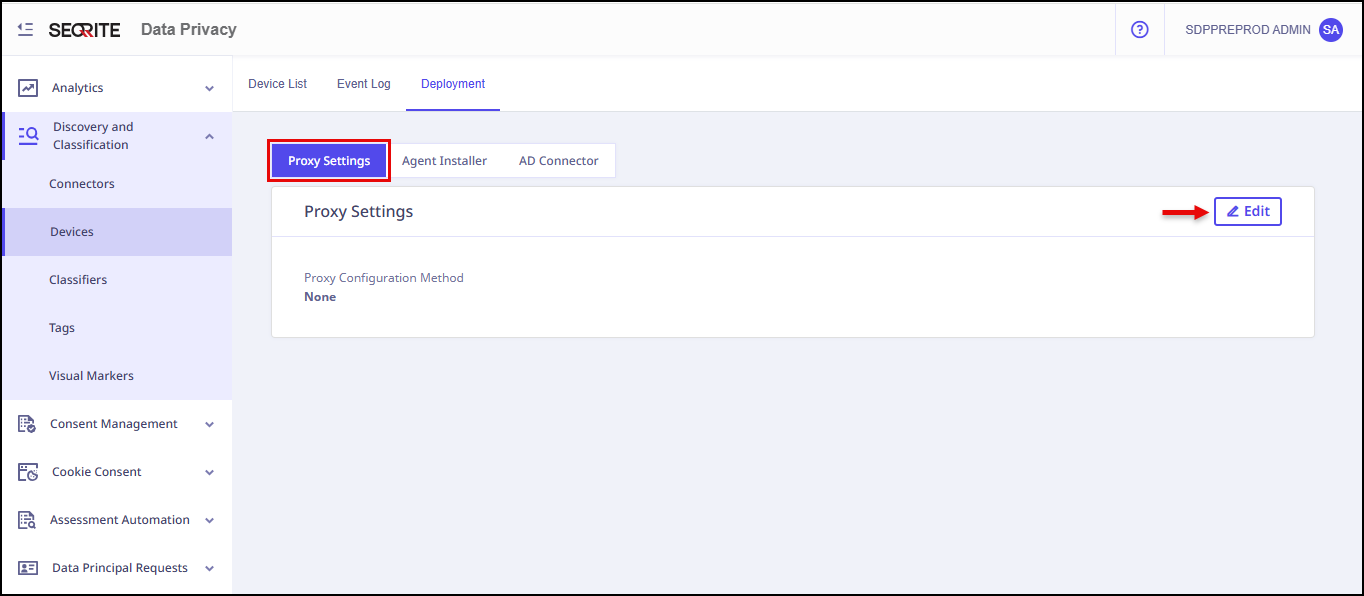
- Select Centralised Configuration method, enter Address, Port, User Name, Password and click Save.
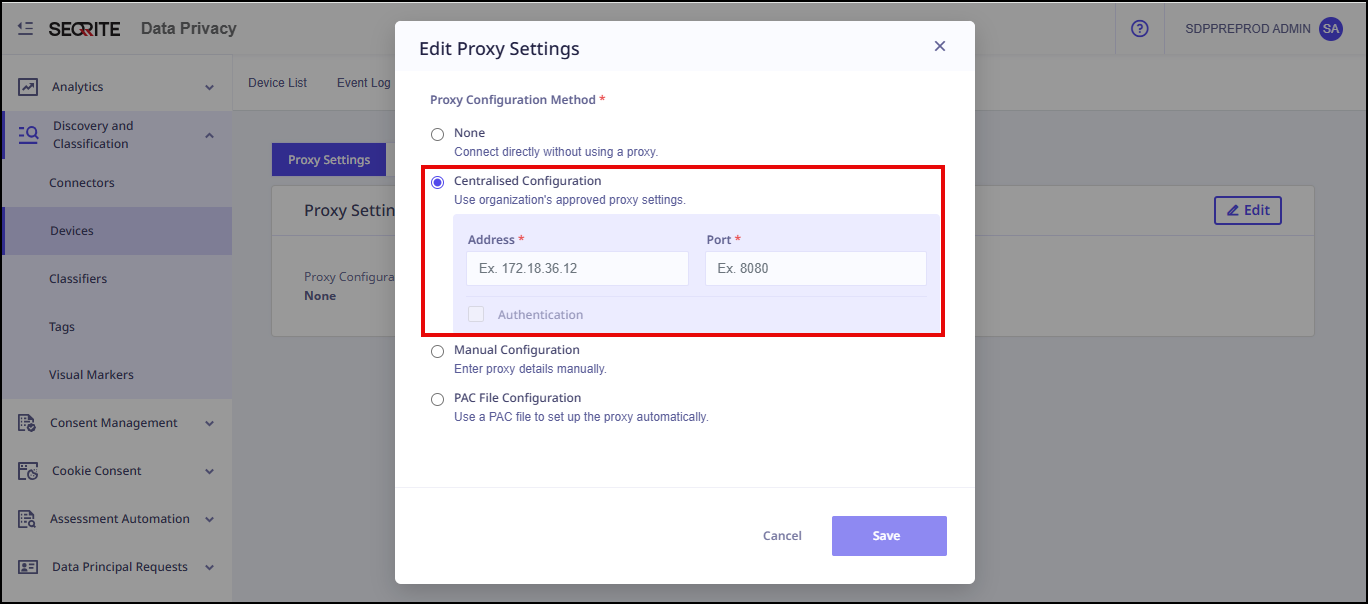
Edit Proxy Settings pop-up appears.
Note: By default proxy setting is None.
Manual Configurtion Method
To configure the proxy setting with Manual configuration method, follow these steps:
- Log on to Seqrite Data Privacy portal. Navigate to Discovery and Classification.
- Click Devices >> Deployment >>Proxy Settings.
- Click Edit.
- Select Manual Configuration method, enter proxy details manually and click Save.
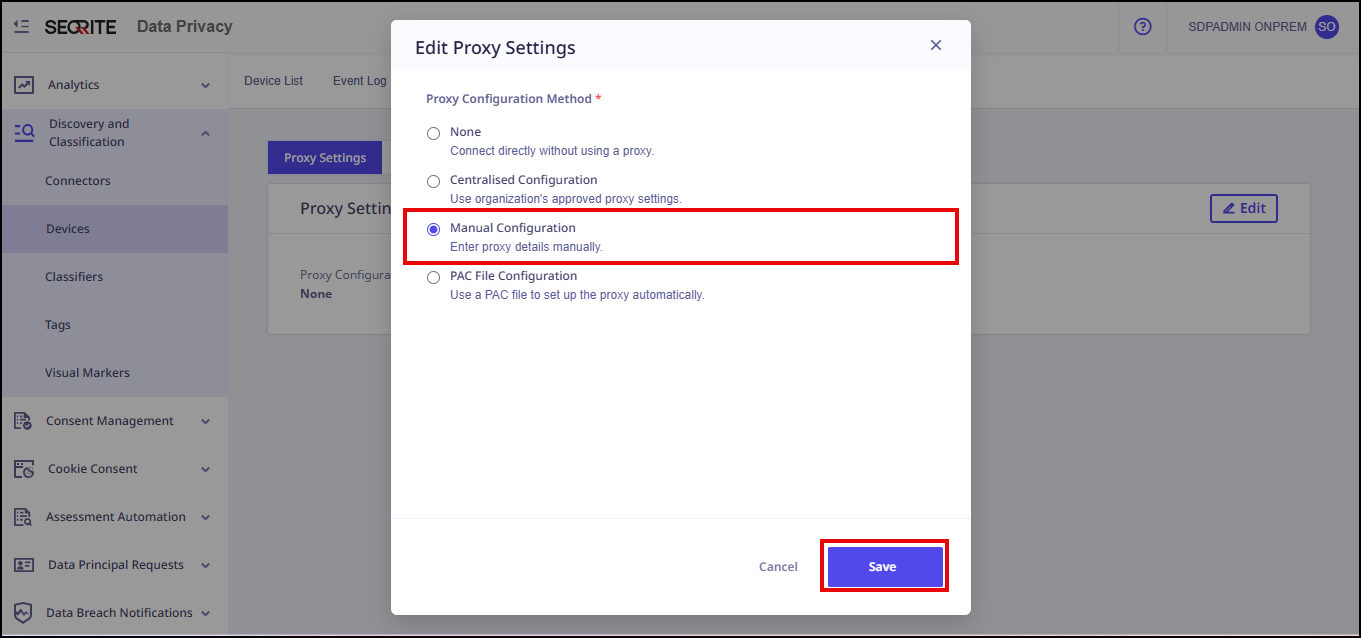
Edit Proxy Settings pop-up appears.
PAC-file Configuration
A PAC file is a Proxy Auto-Configuration file. It tells browsers and other apps which proxy to use (or not use) for a given URL — automatically, per request.
Supporting PAC Helper Functions (dnsDomainIs)
What is dnsDomainIs?
is a built-in helper function provided by PAC (Proxy Auto-Configuration) environments.
It is commonly used to check whether a hostname belongs to a specific domain or subdomain.
Example use case:
- Matching www.example.com with
.example.com - Applying proxy rules to all subdomains of a domain
When does an issue occur?
In standard browsers (Chrome, Firefox, Edge), dnsDomainIs() is available by default.
However, if you encounter an error such as:
dnsDomainIs is not defined
This indicates that:
- The PAC file is being executed in an unsupported or non-standard environment, or
- The tool or service executing the PAC file does not support PAC helper APIs
Recommended Solution (Fallback Definition)
To ensure compatibility across all environments, it is recommended to define a fallback implementation of dnsDomainIs() at the top of the PAC file.
Add the following function before FindProxyForURL:
function dnsDomainIs(host, domain) {
return host.length >= domain.length &&
host.substring(host.length – domain.length) === domain;
}
Required function
function FindProxyForURL(url, host) {
// logic here}
Final Corrected PAC File (Recommended)
/* ————————————————-
Fallback PAC Helper Function
————————————————- */
/*
Some environments do not provide built-in PAC helpers.
This fallback ensures dnsDomainIs() always works.
*/
function dnsDomainIs(host, domain) {
return host.length >= domain.length &&
host.substring(host.length – domain.length) === domain;
}/* ————————————————-
Main PAC Function
————————————————- */
function FindProxyForURL(url, host) {
host = host.toLowerCase();/* Route specific domains via proxy */
/*Enter subdomain only.*/
if (host === “.example.com” || dnsDomainIs(host, “.linkedin.example”)) {
return “PROXY proxy.example.com:8080”;
}if (host === “service.example.com”) {
return “PROXY proxy.example.com:8080”;
}/* Blocking rule example */
if (host === “blocked.example.com” || dnsDomainIs(host, “.blocked.example”)) {
return “PROXY 127.0.0.1:9”; // intentionally invalid proxy to block
}/* Allow direct access for specific domain */
if (host === “dev.example.com” || dnsDomainIs(host, “.dev.example.com”)) {
return “DIRECT”;
// To block instead, use:
// return “PROXY 127.0.0.1:9”;
}/* Default rule */
return “DIRECT”;
}
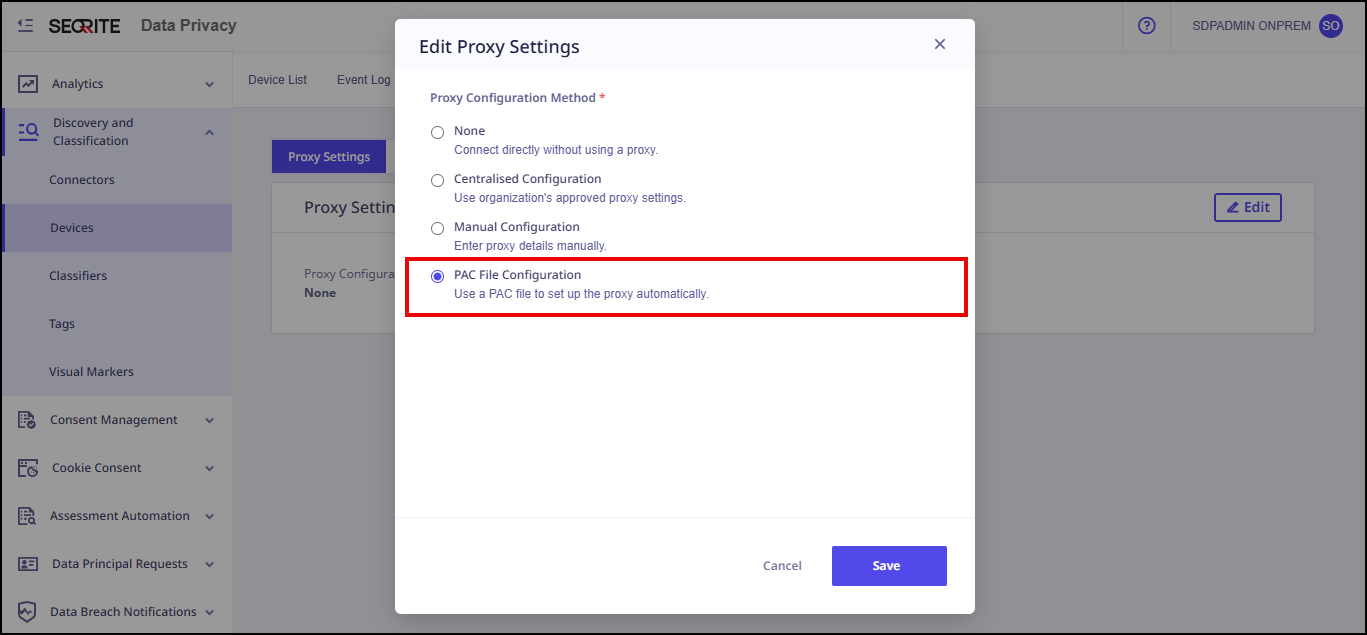
To configure the proxy settings with PAC-File method, follow these steps:
- Log on to Seqrite Data Privacy portal. Navigate to Discovery and Classification.
- Click Devices >> Deployment >>Proxy Settings.
- Click Edit.
Edit Proxy Settings pop-up appears. - Select PAC File Configuration method, use a PAC file to set up the proxy automatically, and click Save.