

To install the agent, follow these steps:
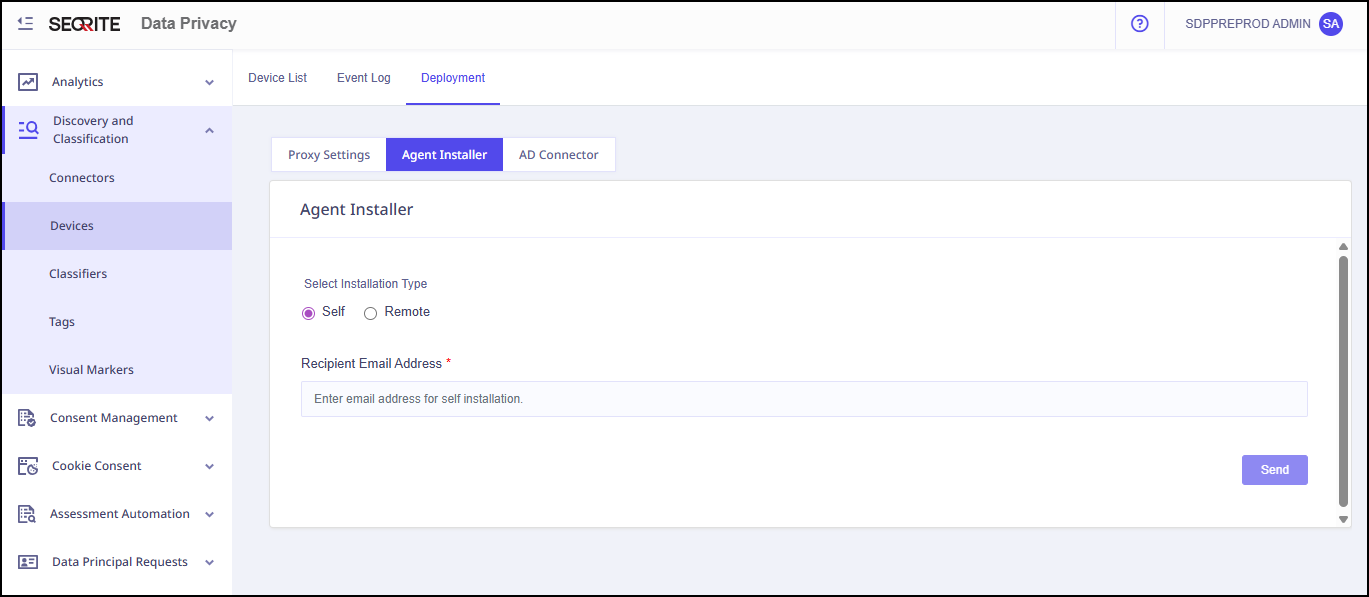
- Log on to Seqrite Data Privacy portal. Navigate to Discovery and Classification.
- Click Devices >> Deployment >>Agent Installer.
- Select installation type that is either Self or Remote.
- For Remote installation type, follow the steps given on screen.
- Enter recipient email address and click Send.