

Reports are assigned a unique score at the brand level, where a higher score indicates greater risk. You can retrieve a complete report for any given date, and the report will be delivered directly to your registered email address.
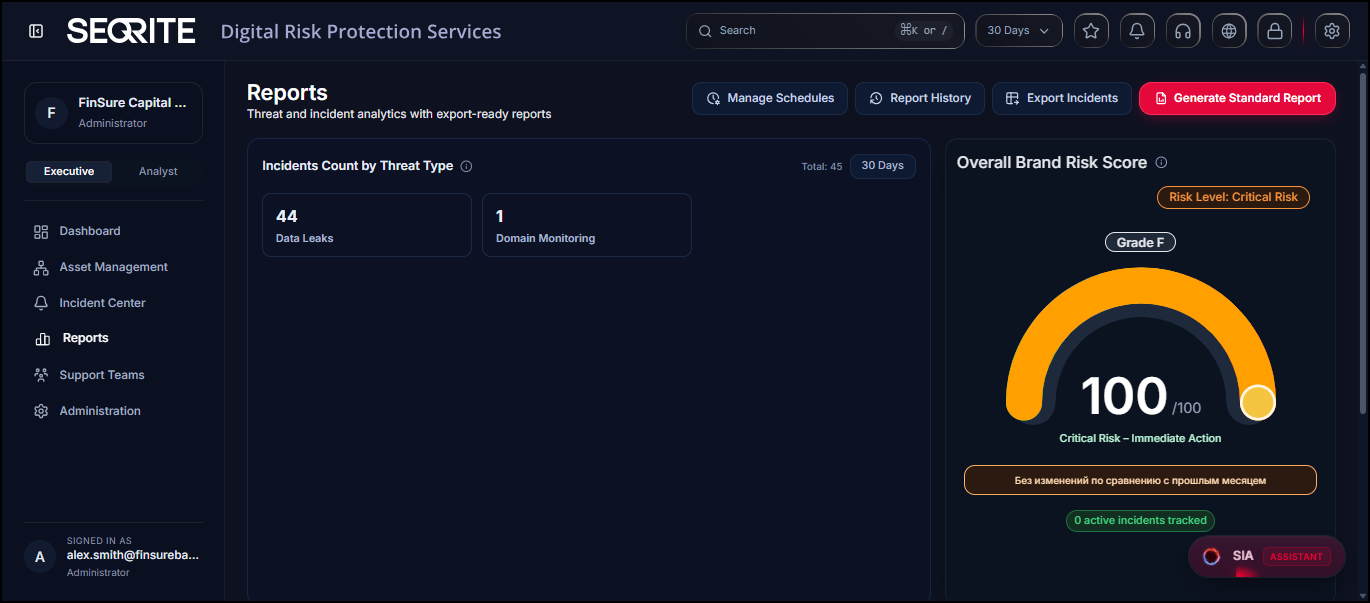
Key Capabilities
- Manage Schedules/Scheduled Reports : Configure reports to be generated and delivered automatically at predefined intervals.
- Standard Reports : Generate standard risk reports for analysis and review.
- Export Incidents: Download report data in CSV format for offline analysis and record-keeping.
- Report History : View brand-level risk scores to assess and track risk exposure over time.
Manage Scheduled Report
You can configure reports to be generated and delivered automatically at predefined intervals.
To create scheduled reports, follow these steps:
- Go to Reports and click Manage Schedules .
- Click New Schedule .
- In Report Setup section, enter Schedule Name.
- In the Schedule section, enter frequency (once, daily, weekly, By weekly, monthly) run date, and delivery time.
- Select export format in Content section.
- View details in Deliver section and click Create Schedule.
Generate Standard Report
To generate a standard report, follow these steps:
- After logging in to Seqrite DRPS, go to Reports .
- Select a From and To date to filter the report data. Leave the fields blank to include all data, then click Download to generate the report.
The report will be sent to your registered email address.
Viewing Report History
Report History shows all reports that you export. It includes details such as the file name, report type, request date, reporting date, reporting period, status, and availability. You can also download a copy of a report in PDF format when it is available.
Note: Downloaded report PDFs are password-protected for security. Use your license number as the password to open the PDF.
Filtering Report History
You can filter the Report History by Name, report type (Incident Report, Incident Export), or Date Range.
Exporting Incidents
You can export the incidents list by category.
To export incidents, follow these steps:
- After logging in to Seqrite DRPS, go to Reports .
- Click Export Incidents.
- Select From and To date, one or more categories, the columns that you want to include in the Excel sheet.
- Click Export to Excel.