Seqrite DRPS also supports API integrations with chat applications like Microsoft Teams, Slack, Telegram, Google Chat, and Discord. You can set up custom notifications within these apps, allowing your teams to receive and respond to alerts directly in their preferred communication platform.
Setup Custom Notifications
To set up custom notifications with chat applications, follow these steps:
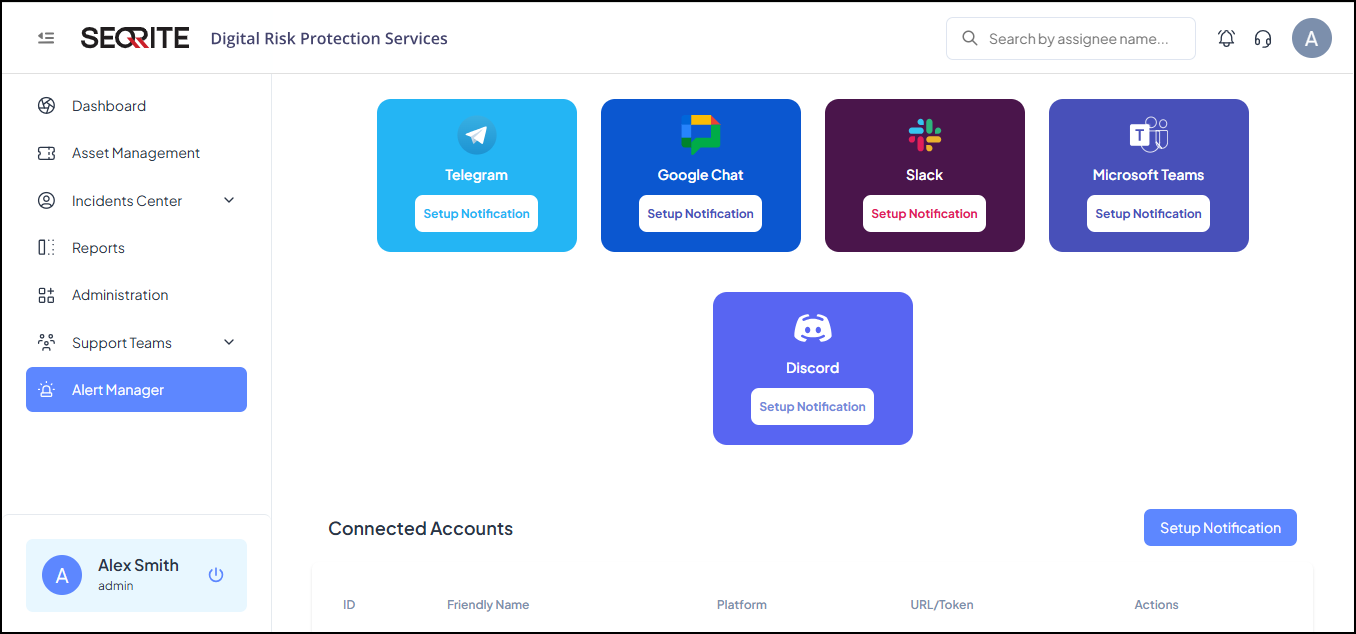
- After logging in to Seqrite DRPS, go to Alert Manager .
- Click the platform for which you want to set up custom notifications and click Setup Notification .
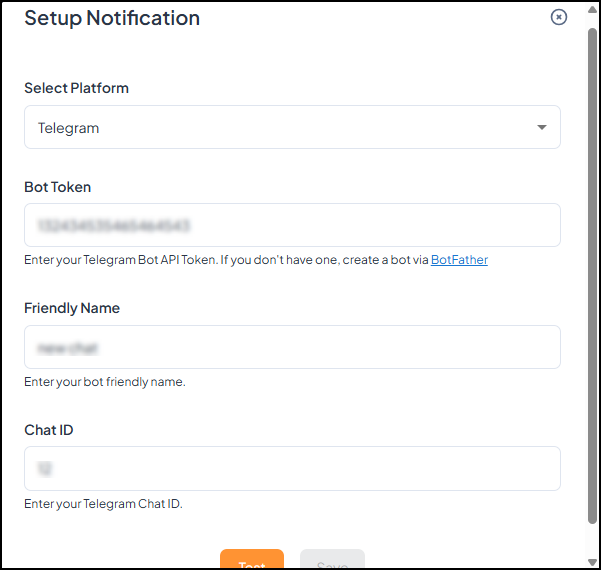
- Select the platform, enter your BOT API token, enter name, chat ID.
- Click Test, if successful, click Save .
The Setup Notification screen appears.