

The administrator of Seqrite Data Privacy can stop, pause and resume the scanning process for each individual data source.
Administrators can also initiate scans directly for devices listed under the Stopped and Failed sections.
Scan Status includes following seven sections:
- All Scans: This shows all the devices with their current scan status.
- Completed: Shows Devices whose scans have finished successfully.
- In Progress: Shows devices currently undergoing a scan.
- Paused: Shows devices with scans temporarily paused.
- Stopped: Shows devices whose scans were manually or automatically stopped.
- FailedShows devices where the scan did not complete due to an error.
- Not Started: Shows devices for which the scan has not yet been initiated.
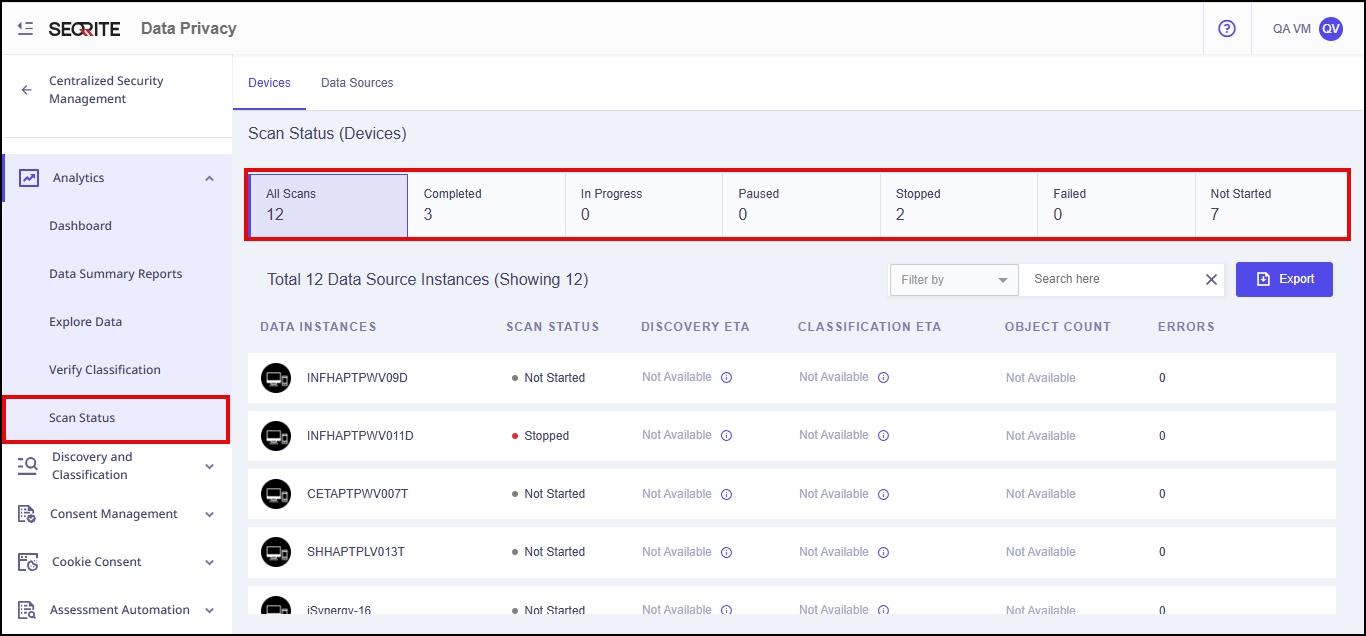
You can use the quick filters provided at the top on the Scan Status page to view the statistics related to the scan status.
The administrator is able to
-
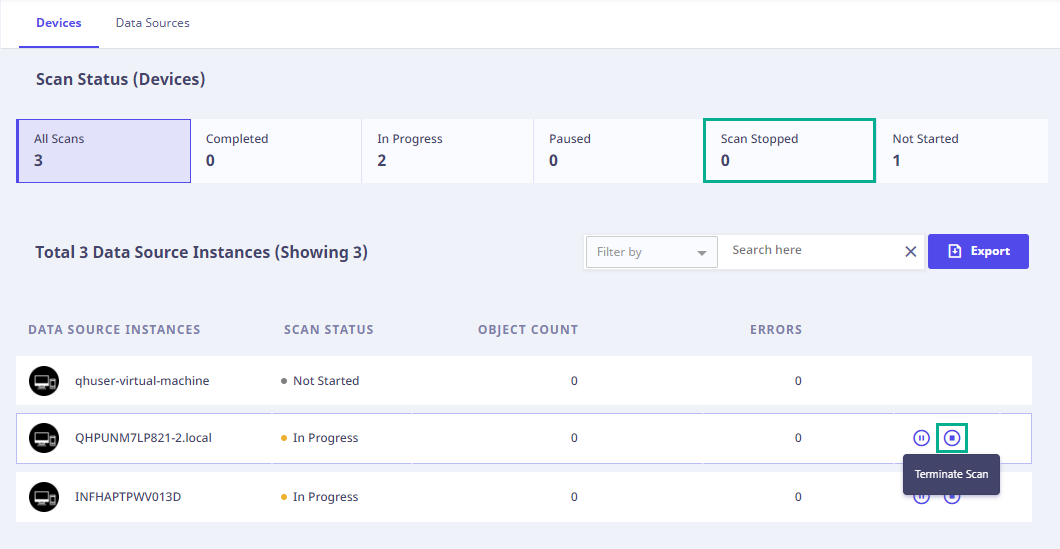
Stop or Terminate the ongoing data source scan.
-
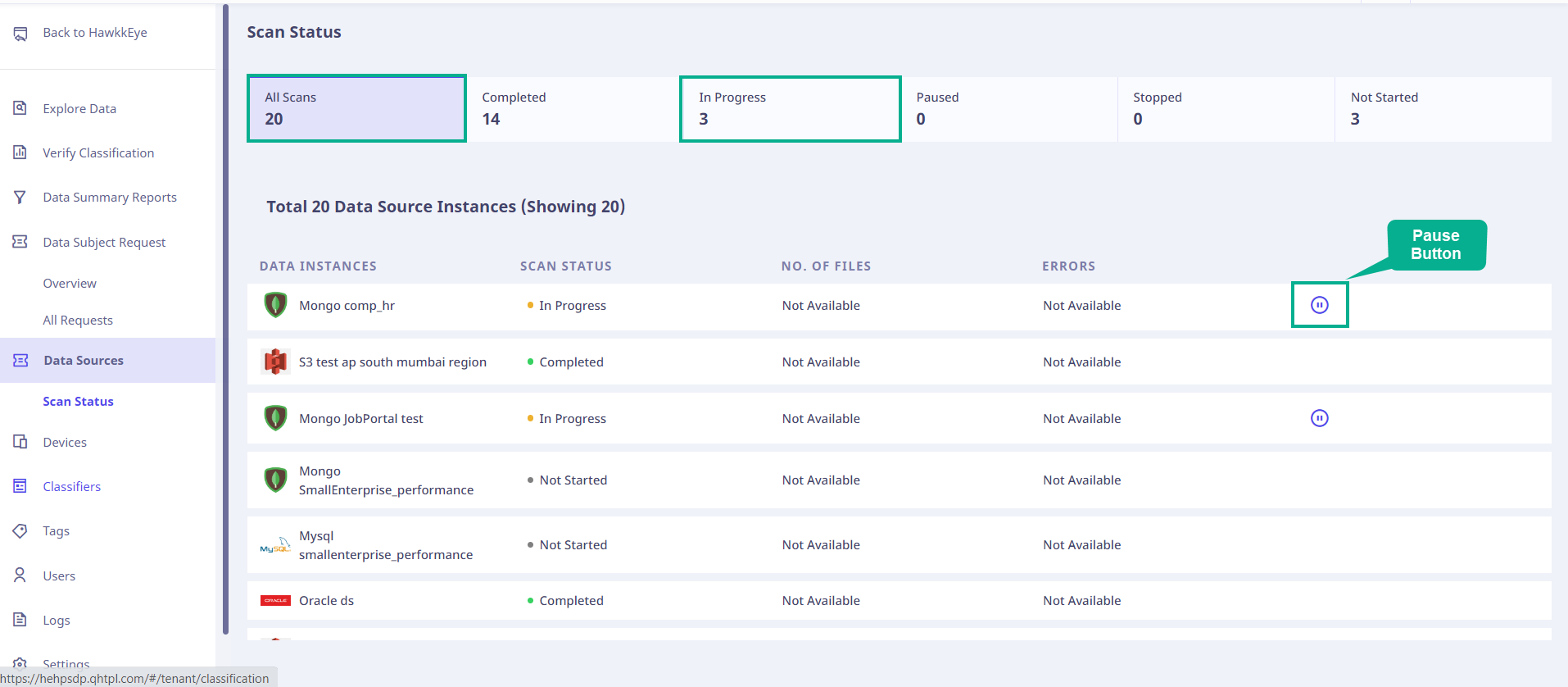
Pause the ongoing data source scan.
-
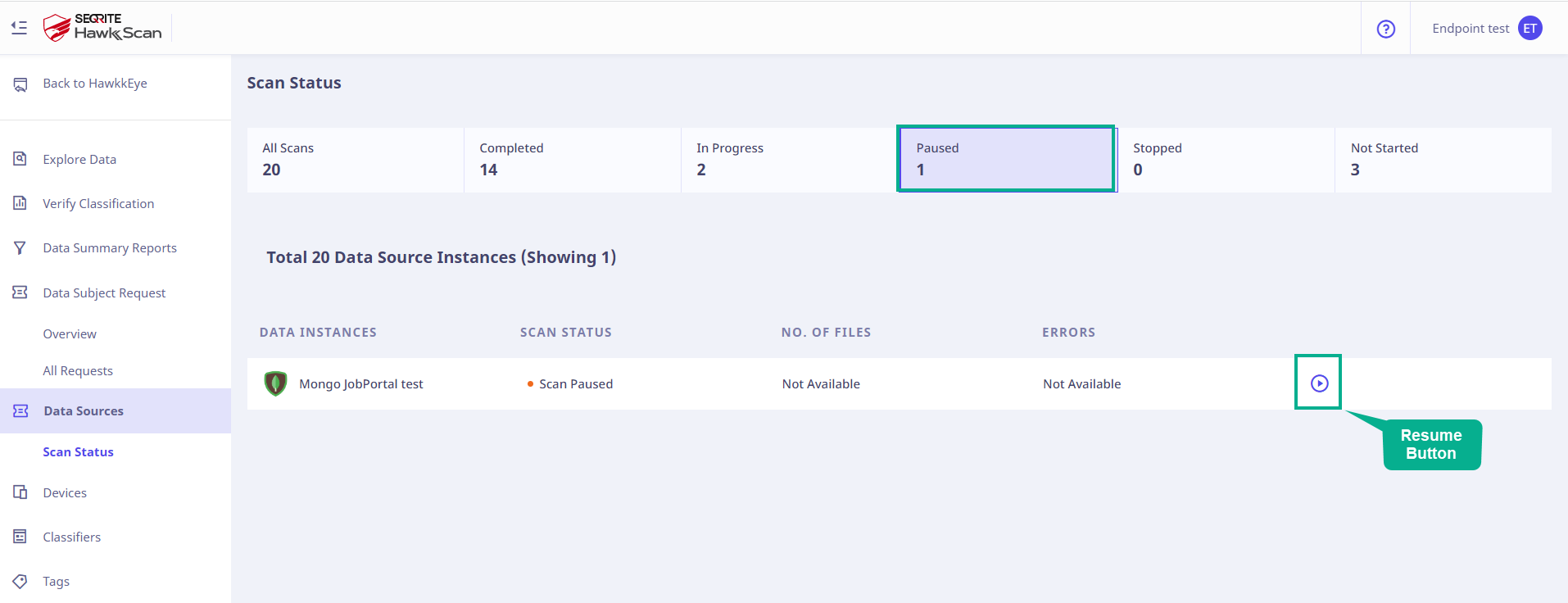
Resume the paused data source scan.
All the above actions are applicable to the data sources. To access the error report for scanning errors, you can navigate to the ‘Data Sources‘ tab. You will find a list of data source instances and their respective error counts. If the error count exceeds 1, click the ‘Error Report‘ icon to obtain additional information regarding the encountered errors.