

Install the Agent for On-premise Deployment
To install the agent for an on-premises deployment, follow these steps:
- Log on to Seqrite Data Privacy portal. Navigate to Discovery and Classification.
- Click Devices >> Deployment >>Agent Installer.
- Select installation type that is either Self or Remote.
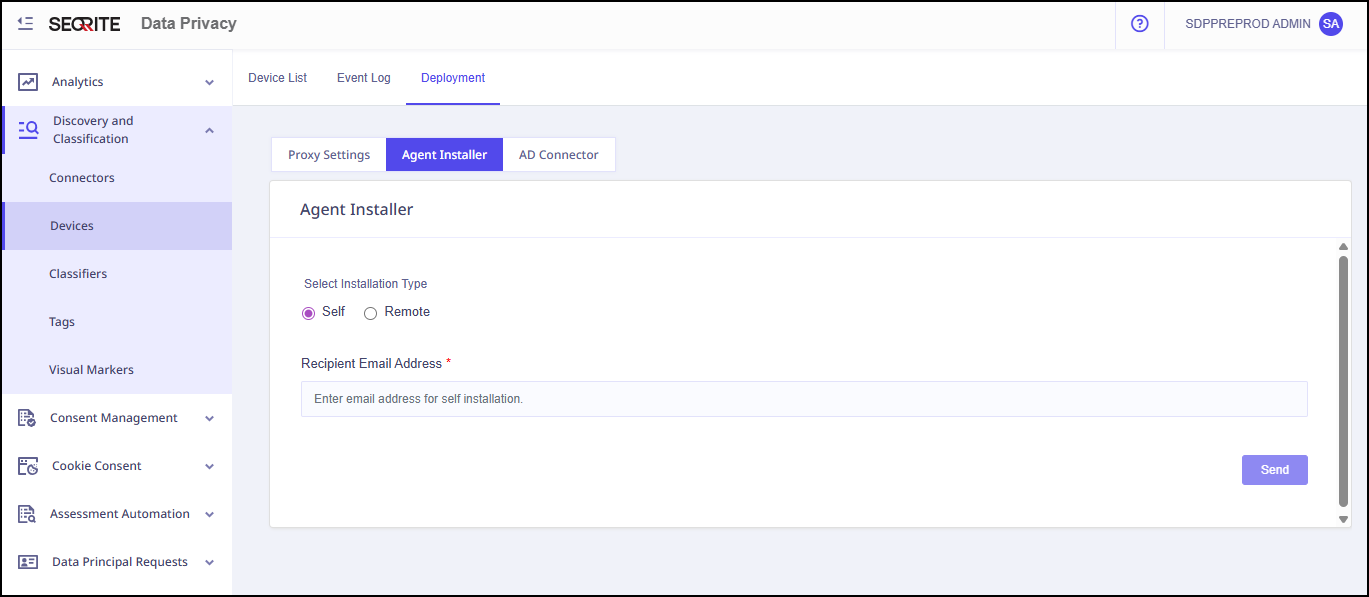
- For Remote installation type, follow the steps given on screen.
- Enter recipient email address and click Send.
- Open the recipient email address and click Download.
The installer page appears. - Click Download in the Mac section.
- Extract MAC agent (SDP_mac-x64) zip file.
- Double click on SUA_macos.dmg file.
The system creates new folder. - Double click on the Seqrite HawkkAgent Installer.
- Click Open Security Preferences on all the prompts.
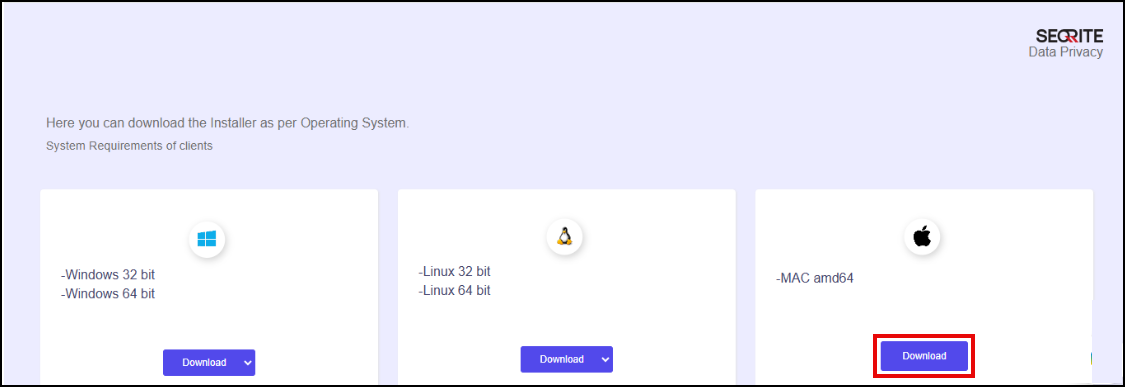
The MAC agent zip file downloads automatically.
For Users having macOS Big Sur and above, the following prompts will appears one by one when the installations starts.
Install the Agent for Cloud Deployment
For cloud deployments, the agent installer is available from the Centralized Security Management .
To install the agent, follow these steps:
- In Centralized Security Management (CSM), select End Users.
- Select the user to whom you want to send the installer link.
- From the first drop-down list, select Send installer link.
- From the second drop-down list, select Data Privacy.
- Click Submit.
An email containing the agent installer link is sent to the selected user. The user can use the link to download the installer.